All Features on Every Plan. No Lock-In.

ActiveCampaign vs AWeber

A side-by-side comparison for teams choosing between ActiveCampaign and AWeber.

Last updated: December 16, 2025

Screenshot
vs
Screenshot

Quick Overview

Automation depth vs fast, straightforward emailing

The biggest difference between ActiveCampaign and AWeber is how far they’re designed to take you beyond sending emails. ActiveCampaign is built around multi-step, behavior-driven automation and cross-channel journey orchestration, while AWeber prioritizes powerfully-simple email marketing that’s quick to set up and easy to keep running. If your plan hinges on highly personalized paths and adaptive messaging, the platforms will feel fundamentally different day to day.

That tradeoff exists because ActiveCampaign has increasingly positioned itself as an “autonomous marketing” platform, emphasizing AI-guided strategy and execution powered by aggregated performance data and built-in intelligence, while AWeber has historically centered the product on everyday email workflows—templates, straightforward creation, and approachable automations using tags and pre-built campaigns. In practice, one bet favors depth and coordination across touchpoints, and the other favors clarity and speed in core email work.

What’s at stake is how much of your customer lifecycle you expect the tool to run—versus how much you’re comfortable managing manually. This difference will shape your segmentation approach, how granular your journeys become, the level of operating overhead you take on, and how well your messaging can adapt as your workflow expands. The rest of this page unpacks those implications across automation sophistication, personalization strategy, and long-term maintainability.

Quick Comparison

At a Glance

Category ActiveCampaign Aweber
Best for Cross-channel customer journeys Small business email marketing
Core strength Advanced automation and CRM Email templates and landing pages
Automation depth Branching logic and splits Tag-based email flows
Pricing model Tiered plans by contacts Tiered plans with free option
Learning curve One-to-one onboarding coaching Drag-and-drop email editor

Vendor Snapshot

Company Snapshot

Background data gathered from our market research (founding year, HQ, team size, specialties, etc.).

ActiveCampaign

Visit website
A
Team 1001-5000
HQ
Chicago, IL, USA
Team
1001-5000
Industry
Marketing Automation

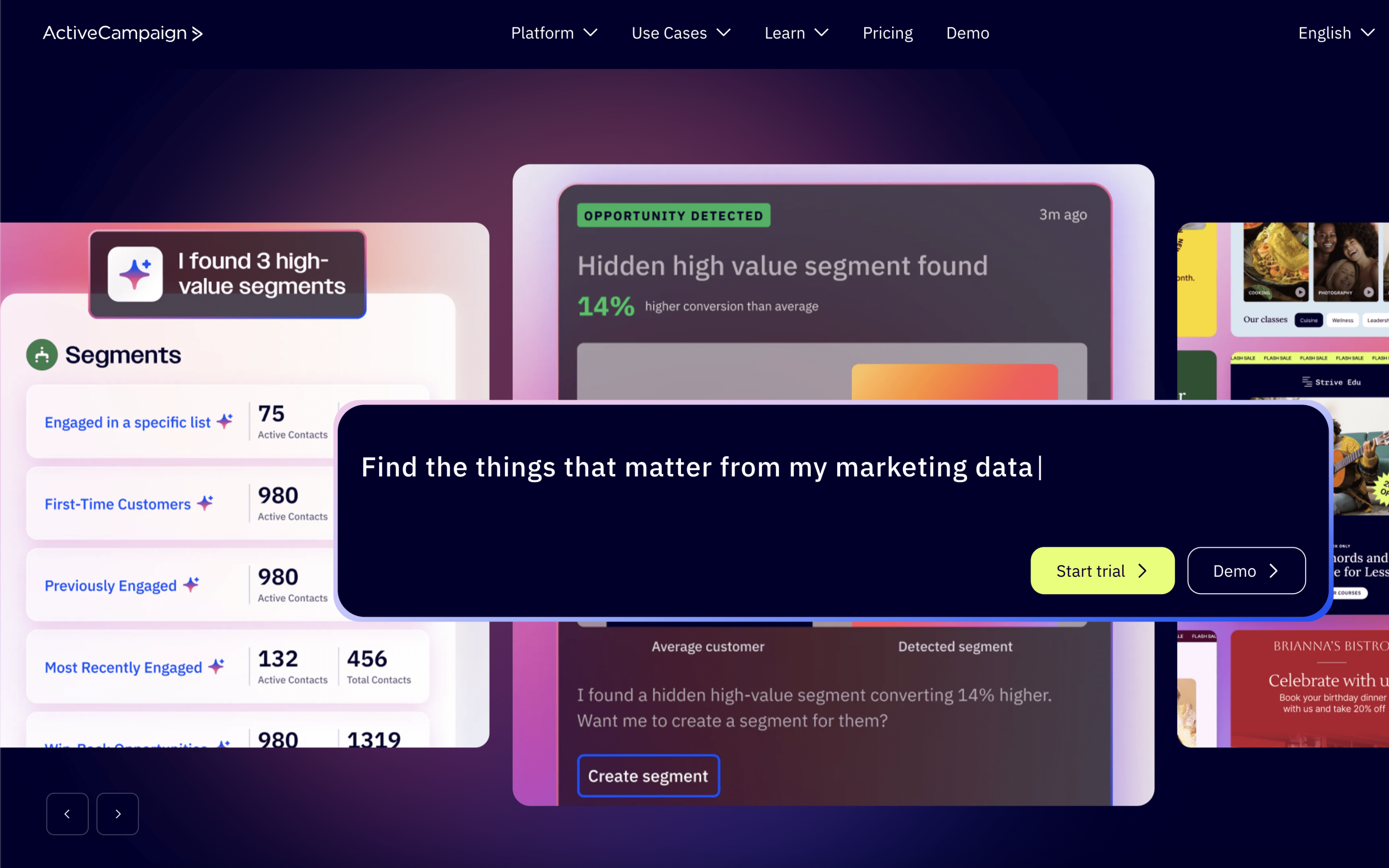
ActiveCampaign is an AI-first autonomous marketing platform that helps marketers, agencies, and entrepreneurs automate personalized experiences across channels like email, SMS, and WhatsApp. It also integrates with 1,000+ apps and provides performance insights to optimize workflows.

Specialties

Autonomous Marketing Marketing Automation
27+ years operating Team 51-200
Founded
1998
HQ
Doylestown, Pennsylvania, USA
Team
51-200
Industry
Email Marketing

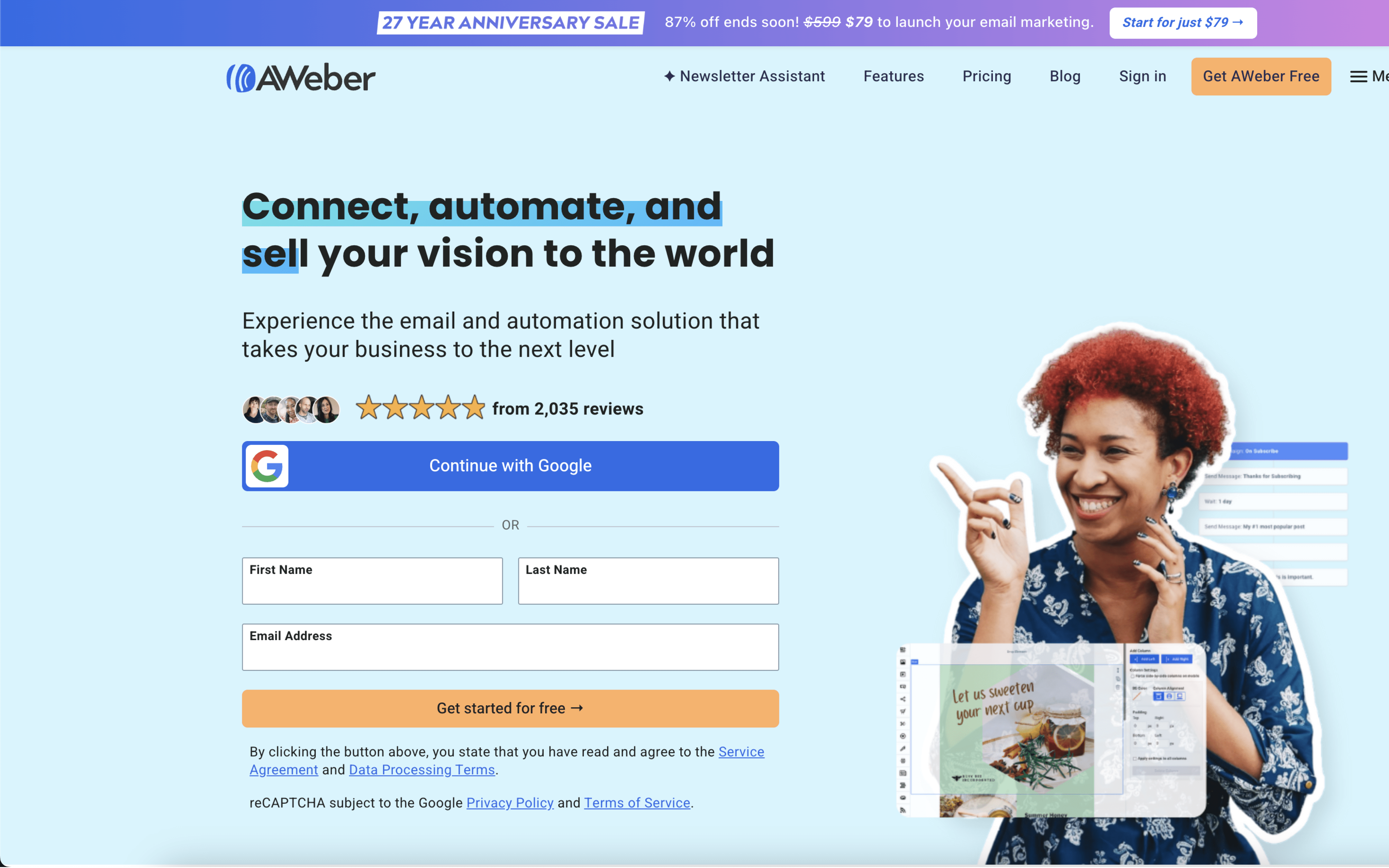
AWeber provides powerfully-simple email marketing solutions for entrepreneurs and small business owners, supported by a Pennsylvania-based 24/7 customer support team. The company focuses on removing complexity so customers can communicate with prospects and customers more easily.

Specialties

Automated Email Follow-Up Email Marketing Email Marketing Software Email Newsletters Marketing Automation

Why These Platforms Feel So Different

ActiveCampaign grew out of an effort to connect messaging with a sales system, so outreach could react to contact changes. AWeber emerged earlier as an email-first service built to send autoresponders and newsletters reliably at scale. That gap in starting constraints shaped what each product treats as its “core record” today.

Because ActiveCampaign was built around a marketing CRM, it prioritizes a unified contact model that can drive actions across journeys and pipelines. This leads to richer internal state, but it also adds moving parts that can require more setup discipline. A concrete example is how automations and the CRM sit side by side, so contact updates and pipeline activity can trigger follow-on messaging.

Because AWeber began as an email delivery and autoresponder tool, it prioritizes sending workflow stability and list operations over deeply interlinked internal objects. This leads to a simpler center of gravity, but it can limit how far the product stretches into multi-system orchestration without relying on external connections. You can see this in its emphasis on subscriber lists, signup forms, and pre-built campaigns that focus on getting messages out consistently.

Those early choices explain why the platforms feel different when you try to model real-world processes inside them. The next sections examine how these inherited priorities show up in day-to-day configuration and behavior.

Key Takeaways

Key Differences

ActiveCampaign and AWeber differ most in automation depth, data model, and how far each platform goes beyond email marketing basics.

Market focus

Automation suite vs email-first tool

ActiveCampaign targets lifecycle marketing and sales workflows, while AWeber focuses on straightforward email marketing for simpler needs.

Automation model

Advanced workflows vs basic sequences

ActiveCampaign supports complex, branching automations, while AWeber emphasizes simpler autoresponders and lighter journey logic.

CRM & sales

Built-in CRM vs external CRM reliance

ActiveCampaign includes a sales CRM with pipelines, while AWeber typically depends on integrations for deal and pipeline management.

Segmentation & personalization

Behavioral targeting vs list-based targeting

ActiveCampaign prioritizes behavior-driven segmentation and conditional content, while AWeber is more centered on list and tag segmentation.

Reporting depth

Attribution-ready vs campaign reporting

ActiveCampaign offers deeper automation and revenue-oriented reporting, while AWeber generally focuses on core email performance metrics.

Integration philosophy

Broader ecosystem vs simpler stack

ActiveCampaign is built to connect across larger marketing stacks, while AWeber is designed to integrate with a more lightweight setup.

Feature Comparison

Feature-by-feature comparison

Key marketing, automation, messaging, capture, and integration capabilities for ActiveCampaign and AWeber.

Email marketing

Create, personalize, and send email campaigns.

ActiveCampaign

Email campaigns with AI-driven personalization and optimization.

AWeber

Email marketing with templates and WYSIWYG editor.

Marketing automation

Workflow automation based on behavior and triggers.

ActiveCampaign

Goal-aware automations supported by Active Intelligence.

AWeber

Email automations for subscriber journeys.

SMS marketing

Text messaging campaigns and automation support.

ActiveCampaign

SMS automation supported, including AI SMS Builder.

AWeber

WhatsApp messaging

WhatsApp channel messaging for marketing outreach.

ActiveCampaign

WhatsApp messaging supported as a cross-channel option.

AWeber

Landing page builder

Build pages to capture leads and signups.

ActiveCampaign

Landing page integrations available for lead capture.

AWeber

Built-in landing page builder.

Web push notifications

Browser notifications for subscriber engagement.

ActiveCampaign

AWeber

Web push notifications supported.

Forms and signup capture

Create forms to collect subscribers and data.

ActiveCampaign

Popup and form capture supported via integrations.

AWeber

Sign up form builder.

AI assistance

AI tools for content, planning, and optimization.

ActiveCampaign

Active Intelligence with AI agents for planning and reporting.

AWeber

AI Writing Assistant for email content.

Integrations ecosystem

Connectors to third-party apps and platforms.

ActiveCampaign

Integrations with 1k+ apps.

AWeber

Integrations directory for connecting third-party tools.

Reporting and analytics

Campaign performance insights and measurement.

ActiveCampaign

Performance optimization and reporting supported by AI agents.

AWeber

Advanced reporting and analytics.

Feature Analysis

Feature Explanation: How These Capabilities Differ in Practice

You’ve already seen which boxes are checked. This section clarifies how the key capabilities behave when you actually build and run campaigns.

#1 Automation & Flows

ActiveCampaign uses a visual automation builder with steps like wait and if/then branching. Automations can react to behaviors like page visits or link clicks.

AWeber’s workflow automation builds email funnels with branching paths based on subscriber actions. It includes zoom controls to edit steps or view the full journey.

#2 Segmentation & Personalization Logic

ActiveCampaign supports dynamic segments that automatically update from rules like recent opens. It also supports conditional content that swaps email sections based on contact data.

AWeber focuses on organizing and targeting contacts for email campaigns, with list management and segmentation tools. It positions these tools around matching emails to subscriber engagement patterns.

#3 Multichannel Messaging

ActiveCampaign includes SMS automation and also supports WhatsApp messaging as part of its platform positioning. SMS can also be triggered via integrations like SMSAPI.

AWeber is primarily email-first and also offers web push notifications. It does not position WhatsApp messaging as a built-in channel.

#4 Ecommerce Integrations

ActiveCampaign has a native Shopify integration geared toward automation use cases like welcome series, post-purchase upsells, and abandoned cart follow-ups. It can also add Shopify buy buttons to ActiveCampaign landing pages.

AWeber connects to ecommerce platforms through its integrations directory, including Shopify. These integrations primarily focus on syncing customers or buyers into your email list.

#5 Analytics & Attribution Data

ActiveCampaign can capture acquisition details through partner integrations like Attributer, including UTM parameters and landing page data. This attaches source data to contacts for reporting and follow-up automation.

AWeber includes message analytics and supports sales tracking. It also supports Facebook pixel tracking for measuring conversions and retargeting behavior.

#6 Experimentation / Split Testing

ActiveCampaign supports splitting paths inside automations to compare routes side-by-side. It’s used to test variables like wait times, message types, or offers.

AWeber emphasizes optimization via workflow branching and engagement-based targeting. It does not describe automation-level split testing in the same way.

Customer Voices

Reviews & Ratings

See how ActiveCampaign vs Aweber compare based on verified customer reviews (pros, cons, sentiment).

ActiveCampaign

4.6 / 5.0

Based on 2,545 reviews

Positive sentiment
Top Pros
  • Powerful automations that save time
  • Strong segmentation with tags and lists
  • Good deliverability for newsletters and sequences
  • Helpful onboarding and responsive support
Top Cons
  • Steep learning curve for advanced workflows
  • Bugs and glitches disrupt work sometimes
  • Landing pages and forms feel limited
  • Can be slow when saving or navigating

Aweber

4.4 / 5.0

Based on 320 reviews

Positive sentiment
Top Pros
  • Customer support is fast and knowledgeable
  • Easy for beginners to start sending
  • Solid list management for multiple lists
  • Reliable for basic email marketing
Top Cons
  • Interface feels outdated and clunky
  • Automation lacks branching or advanced logic
  • Template editor and forms can be wonky
  • Pricing increases upset long-time users

Real-World Scenarios

How day-to-day workflows differ in practice

Feature checklists don’t show how work actually moves day to day. These scenarios translate capabilities into what teams experience in recurring campaigns and ongoing adjustments.

#1 Lead follow-up cadence

ActiveCampaign: Teams run ongoing follow-up sequences that adapt as leads respond, reducing manual handoffs and keeping sales touchpoints consistent day to day.

Aweber: Teams manage follow-ups in simpler recurring steps, often reviewing responses weekly and making manual adjustments to keep outreach on track.

#2 Segmentation and list upkeep

ActiveCampaign: Segments update continuously as contacts behave, so campaigns operate with fewer list cleanups and less spreadsheet work during weekly planning.

Aweber: Segments are often refreshed through recurring list work, with teams doing periodic checks to keep targeting aligned across sends.

#3 Cross-channel coordination

ActiveCampaign: Teams coordinate email with other touchpoints in the same workflow, keeping timing consistent during bursts and reducing coordination meetings.

Aweber: Teams focus mostly on email cadence, coordinating other channels through separate processes and relying on manual reminders during busy campaign weeks.

#4 Content production and approvals

ActiveCampaign: Teams iterate on messages within recurring workflows, using clear handoffs between drafting, launching, and refining based on ongoing performance signals.

Aweber: Teams typically build campaigns in discrete batches, with approvals happening around each send and refinements handled between weekly or monthly cycles.

#5 Reporting and performance visibility

ActiveCampaign: Teams review performance in an ongoing rhythm and adjust sequences quickly, with visibility tied to how contacts move through workflows.

Aweber: Teams monitor results per campaign send, often summarizing performance weekly and making changes in the next scheduled batch.

#6 Team operations and scaling

ActiveCampaign: As volume grows, teams rely on structured workflows to reduce repetitive tasks, keeping daily operations steady with fewer manual touchpoints.

Aweber: As volume grows, teams often add recurring checklists and manual steps to maintain consistency, especially when juggling multiple lists and send schedules.

Decision Guide

Which Platform Should You Choose?

Use these cues to quickly see which platform fits how you work.

ActiveCampaign

Best for

Teams running structured lifecycle programs where handoffs, follow-ups, and ongoing iteration are part of the weekly operating rhythm.

This platform is a good fit if:

  • You map customer journeys as stages and expect people to move between them based on what they do.
  • Your team reviews performance on a regular cadence and adjusts rules, timing, or paths rather than just swapping out a single message.
  • Multiple teammates need a shared view of where each contact stands and who owns the next step.
  • Workflows depend on consistent tagging, cleanup, and agreed definitions so reporting and follow-up stay aligned.

Aweber

Best for

Solo operators or small teams with a steady publishing rhythm who primarily plan, write, and send on a consistent schedule.

This platform is a good fit if:

  • You operate on a calendar where most sends are planned as recurring broadcasts and occasional announcements.
  • Your workflow starts with writing content first, then choosing who should receive it, rather than designing branching paths.
  • One person typically owns the whole process end-to-end, from draft to send to basic review afterward.
  • You prefer a setup that stays mostly the same month to month, with small tweaks instead of frequent system changes.

Need-to-know

Frequently Asked Questions

Everything you need to know about comparing these platforms.

How hard is it to migrate my lists, tags, and automations if I’m moving to ActiveCampaign or AWeber?

Contacts can typically be moved into ActiveCampaign or AWeber via CSV import, but you should plan to rebuild automations and forms because workflow logic, triggers, and templates don’t transfer 1:1 between platforms.

Before migrating, export a snapshot of lists, tags/segments, custom fields, and suppression lists so you can map fields correctly and avoid re-mailing people who previously unsubscribed.

What happens if I choose one platform and later need to switch back or reverse the decision?

If you switch away from ActiveCampaign or AWeber, you’ll need to recreate automations and signup forms in the new tool because platform-specific workflow steps and embedded form code won’t carry over directly.

To keep reversal possible, maintain local exports of contacts and templates, and document automation logic (triggers, wait conditions, goals) so you can replicate it if you return to ActiveCampaign or AWeber.

Do I actually own my data, and can I export everything (including unsubscribes and engagement history)?

Both ActiveCampaign and AWeber allow exporting core contact data (email, fields, tags/lists) via file export, which covers most “ownership” needs for switching tools or backups.

Historical engagement data (opens/clicks over time, automation path history) may not export in a single complete dataset in the same shape you see in-app, so treat the platform as the system of record for reporting and export what you can before closing an account.

How do GDPR and consent rules work if I have subscribers from multiple regions?

ActiveCampaign and AWeber both support storing subscriber fields (including consent-related fields) and honoring unsubscribe requests, but you’re still responsible for collecting lawful consent and documenting it in a way you can evidence later.

If you rely on GDPR-specific workflows (double opt-in, proof of consent, regional suppression), configure those at the list/form level and ensure your forms and integrations pass consent metadata into ActiveCampaign or AWeber.

Can I run multiple stores or brands without mixing audiences and reporting?

Multi-brand setups are possible in both ActiveCampaign and AWeber, but separation depends on how you structure lists, tags, custom fields, and sender identities rather than a single “multi-brand” switch.

If you need hard separation (distinct teams, permissions, billing, or completely isolated audiences), confirm account/workspace boundaries and user access controls in ActiveCampaign or AWeber before consolidating brands into one account.

Will API limits or integration constraints break my workflows at scale?

If you sync data from a CRM, store platform, or custom app, API rate limits and payload constraints can affect how quickly updates appear in ActiveCampaign or AWeber (for example, tagging events, field updates, or purchase events arriving late).

To reduce failures, batch updates where possible, monitor error logs in your middleware, and design automations that tolerate delayed events (e.g., short buffers before time-sensitive sends) on ActiveCampaign or AWeber.

If I use SMS, what happens with regional carrier rules, opt-outs, and restricted countries?

SMS compliance is governed by carrier and regional rules (opt-in wording, HELP/STOP handling, quiet hours, and country availability), and those constraints can limit where you can message regardless of whether you use ActiveCampaign or AWeber.

Before launching, validate supported countries and required opt-in language for your SMS provider/integration, and ensure opt-out keywords are honored and synced back into ActiveCampaign or AWeber to prevent accidental re-messaging.

How do I protect deliverability if something goes wrong (spam complaints, sudden list growth, or bad imports)?

Deliverability risk is highest after large imports, sudden volume spikes, or sending to unengaged contacts; ActiveCampaign and AWeber can enforce suppression and unsubscribes, but list hygiene and sending cadence are still on you.

Use segmentation to mail engaged subscribers first, keep a clean suppression list, and avoid emailing purchased or scraped lists—those practices can trigger provider monitoring or account enforcement actions on either ActiveCampaign or AWeber.

What should I expect for support access and response times when something is urgent?

Support responsiveness can vary based on your plan level, the channel you use (ticket vs. chat), and the complexity of the issue; confirm what channels are available in ActiveCampaign and AWeber before you rely on them for time-sensitive launches.

For urgent incidents, be ready to provide timestamps, campaign IDs, affected segments, and integration logs—both ActiveCampaign and AWeber support teams typically need concrete diagnostics to resolve deliverability, automation, or sync issues quickly.

Are there scaling limits that can become operational bottlenecks (large lists, complex automations, or high send volume)?

As databases grow, operational ceilings tend to show up as longer sync times, heavier segmentation queries, and more complex automation maintenance rather than a single hard “max contacts” number in ActiveCampaign or AWeber.

To avoid bottlenecks, standardize naming conventions, limit duplicate/overlapping automations, and periodically prune unengaged contacts so reporting and segmentation remain manageable in ActiveCampaign or AWeber.

Final Thoughts

Our Recommendation

This choice is about how your team runs its marketing operation: a coordinated, iterative system versus a simpler, steady workflow with minimal orchestration.

Choose ActiveCampaign when you manage multiple moving parts across teams and need a disciplined cadence of testing, handoffs, and ongoing optimization. It fits organizations that can absorb coordination overhead to keep complex programs aligned.

Choose AWeber when your priority is predictable execution with straightforward workflows and limited internal bandwidth. It works best for small teams that want to publish consistently without adding operational complexity.

Map the platforms to your operating rhythm and the decision becomes clear: coordination-heavy teams should go with ActiveCampaign, and lean teams should go with AWeber. Pick the one that matches your day-to-day workflow and commit.